One connected file
One source of truth instead of scattered sheets.
Google Sheets annual budget template
Set up monthly budgets across the year, enter your actual transactions and review the annual picture in a connected Google Sheets file. Follow savings goals, debts and financial snapshots without building your own formulas.
$9.99 one-time purchase
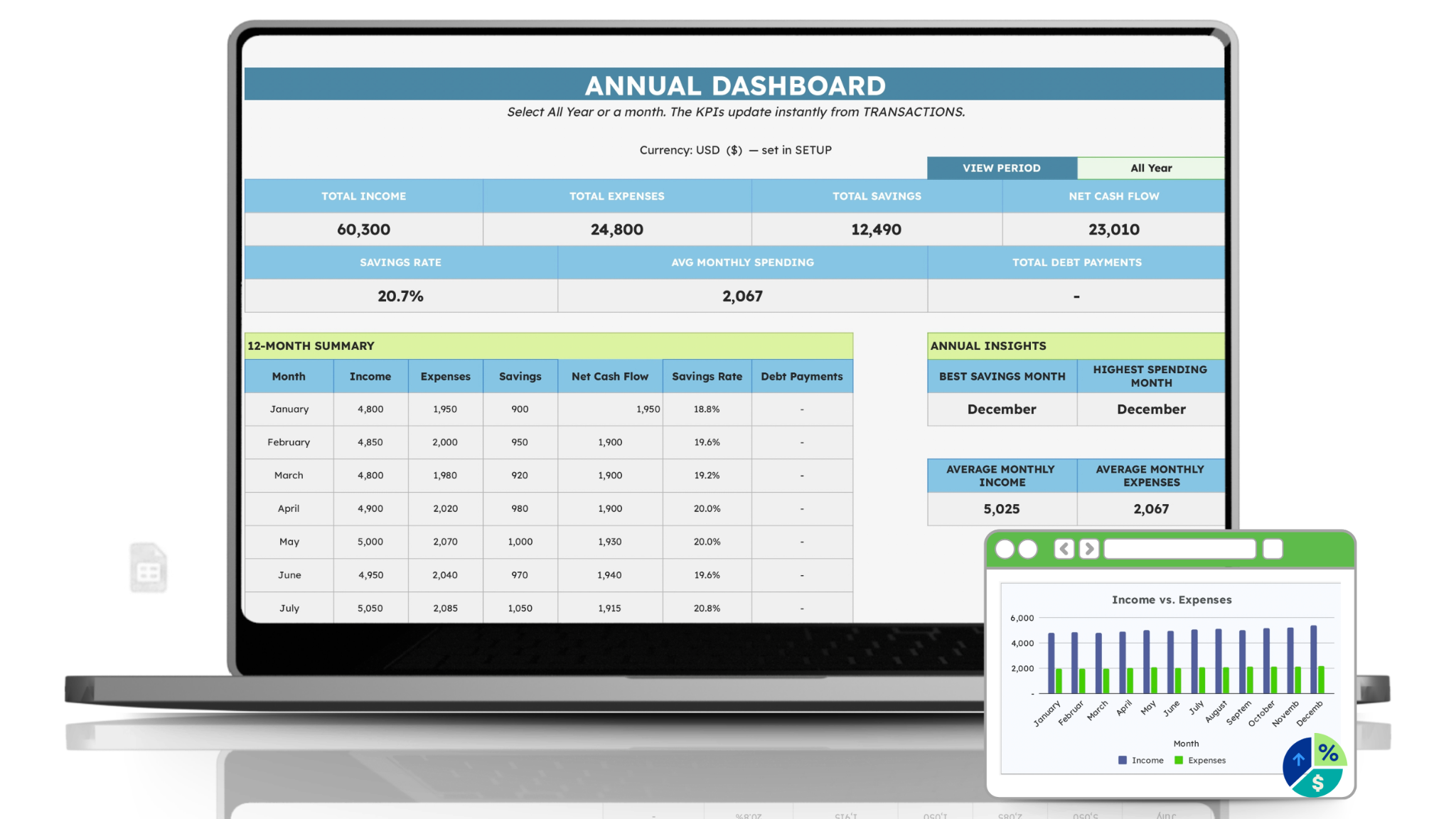
One source of truth instead of scattered sheets.
See what you expected and what really happened.
Use the dashboard to spot progress and patterns.
Quick Start and a complete user guide are included.
Built for real life
You do not need to create formulas, decide a structure, or search through different tabs. The planner gives each part of your money a clear home—then brings the important numbers together when you want to review them.
Set your expected income, spending and savings target in one monthly tab.
Add each real transaction once. Your monthly results update from there.
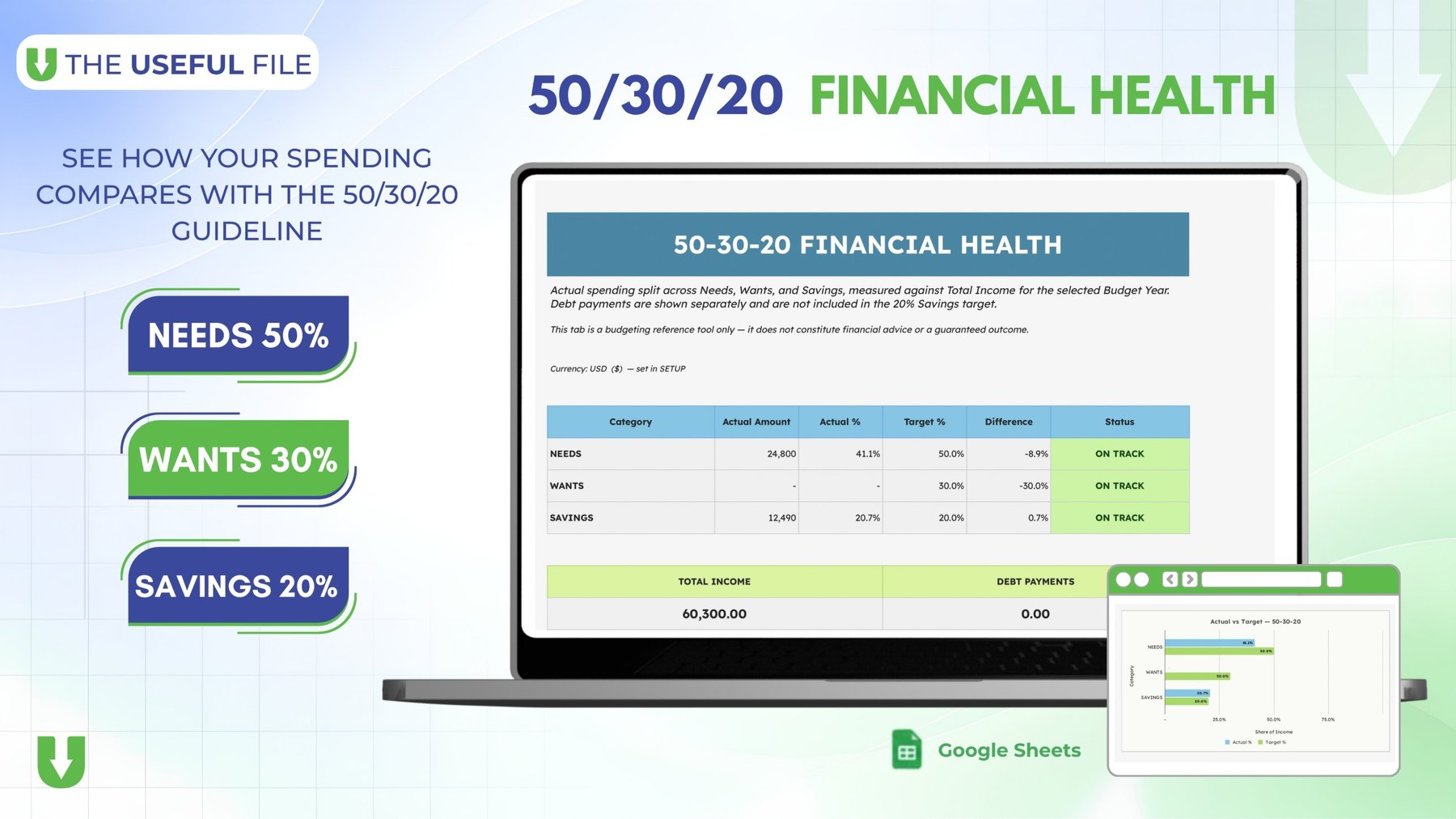
Use the annual dashboard, 50/30/20 view and summaries to notice patterns over time.
Real previews
These are real views from the planner you will copy into your own Google Drive.
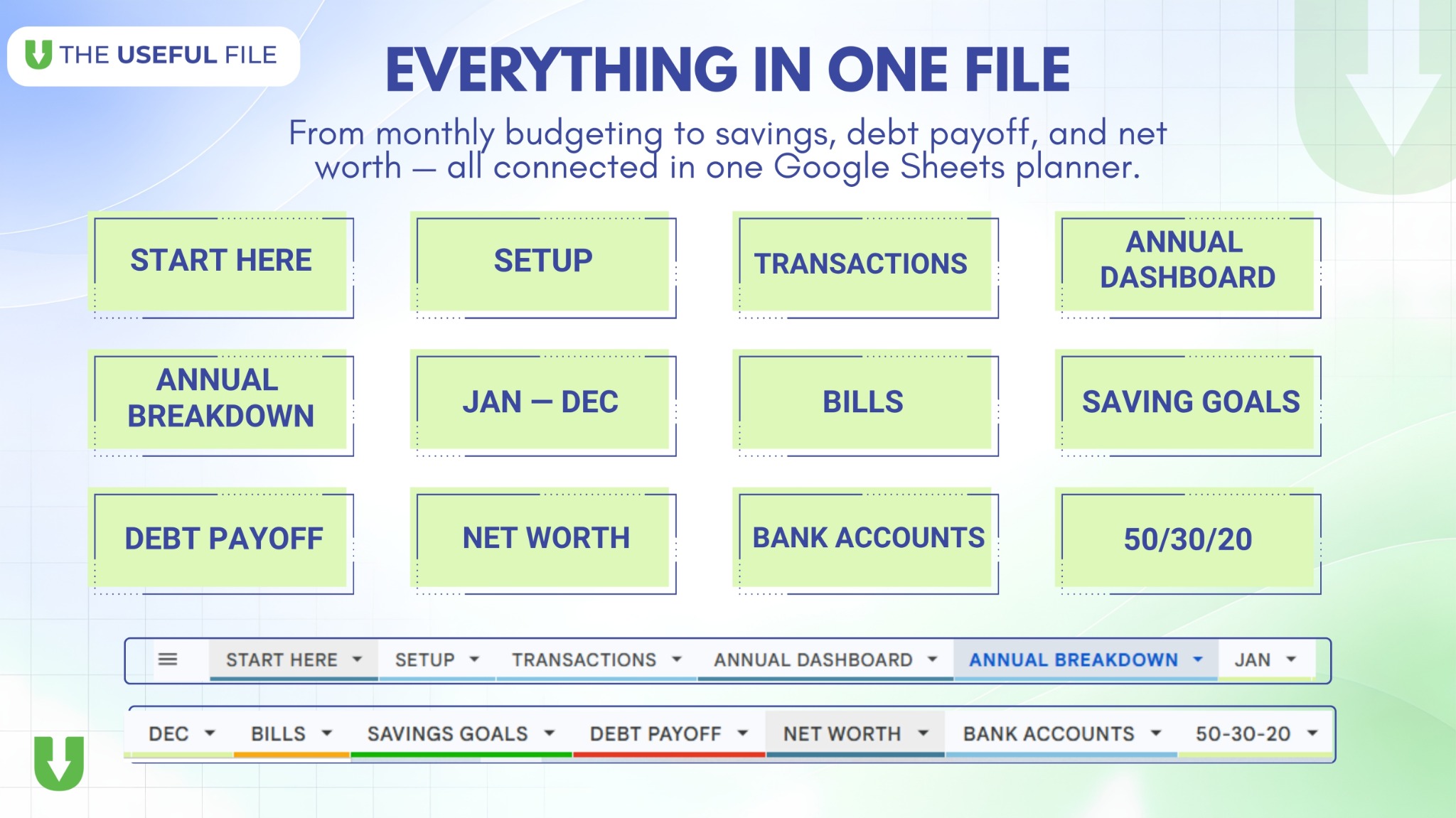
What the planner includes
Each page has one clear job. The important pages work together without asking you to rebuild the file yourself.
Choose your budget year, currency, categories and account names before you begin.
Plan income, expenses and savings for January through December.
Record each real income, expense or saving movement once.
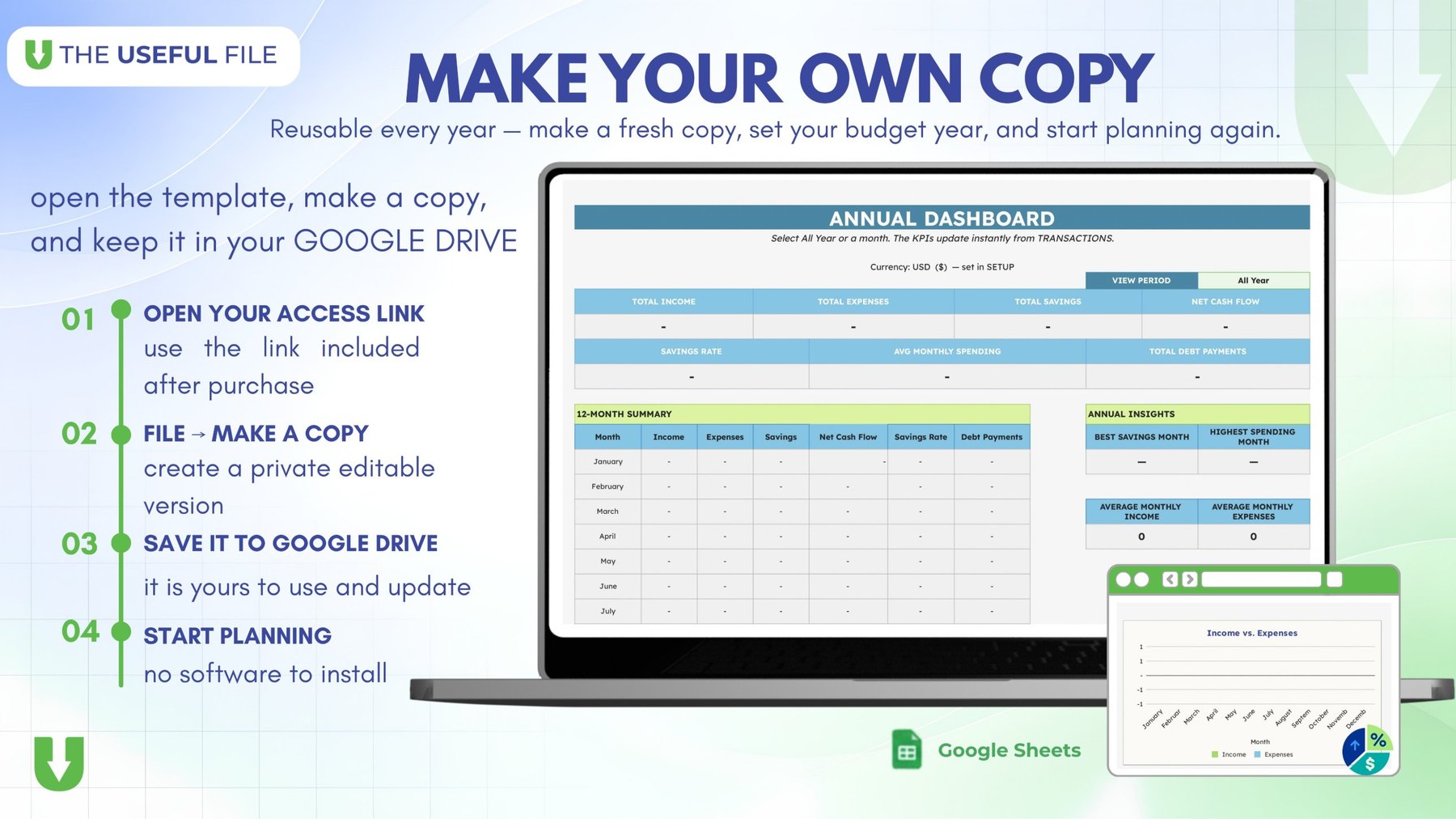
Review totals, spending patterns and selected periods in one view.
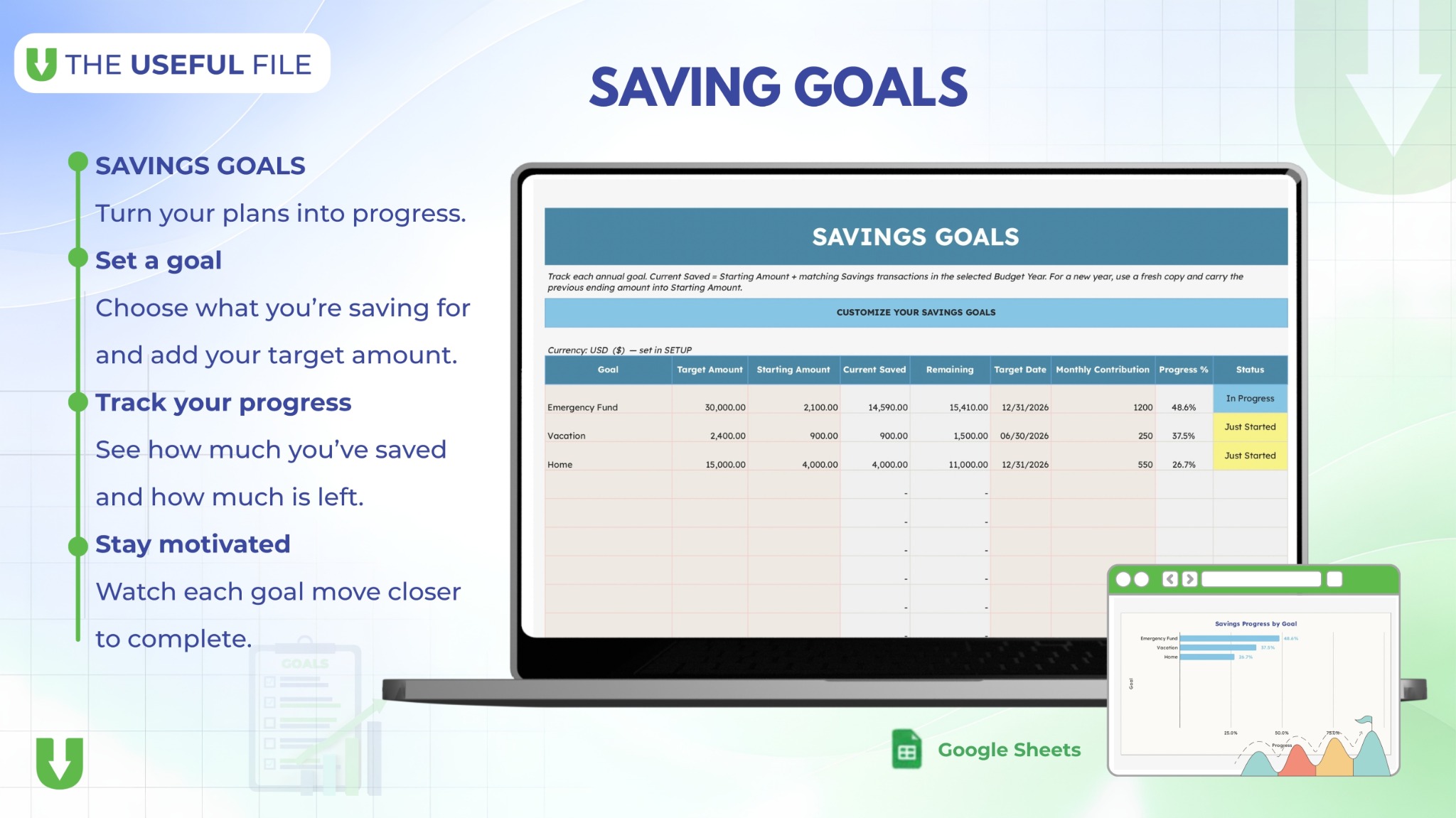
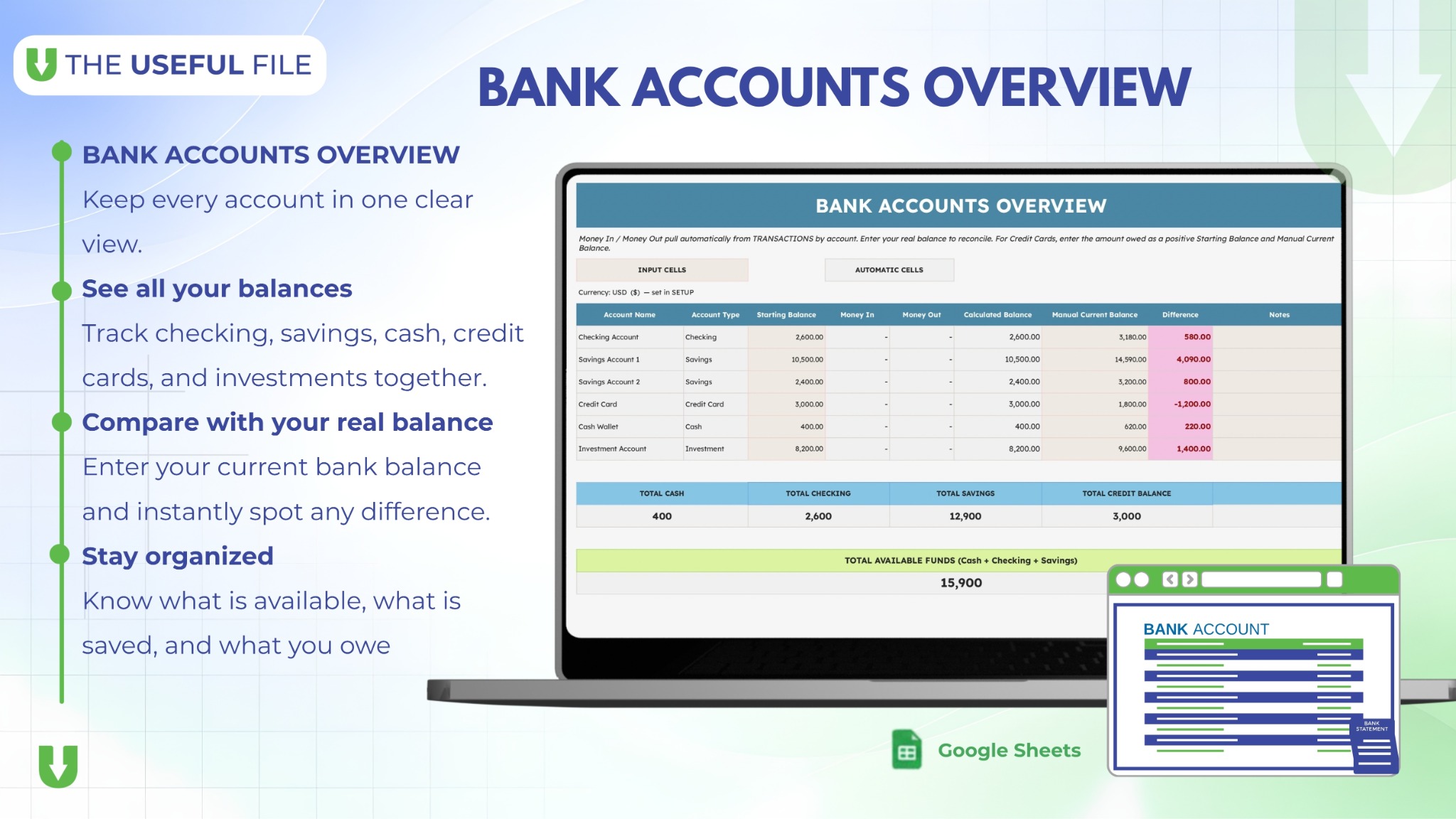
Remember regular bills and keep progress toward your savings goals visible.
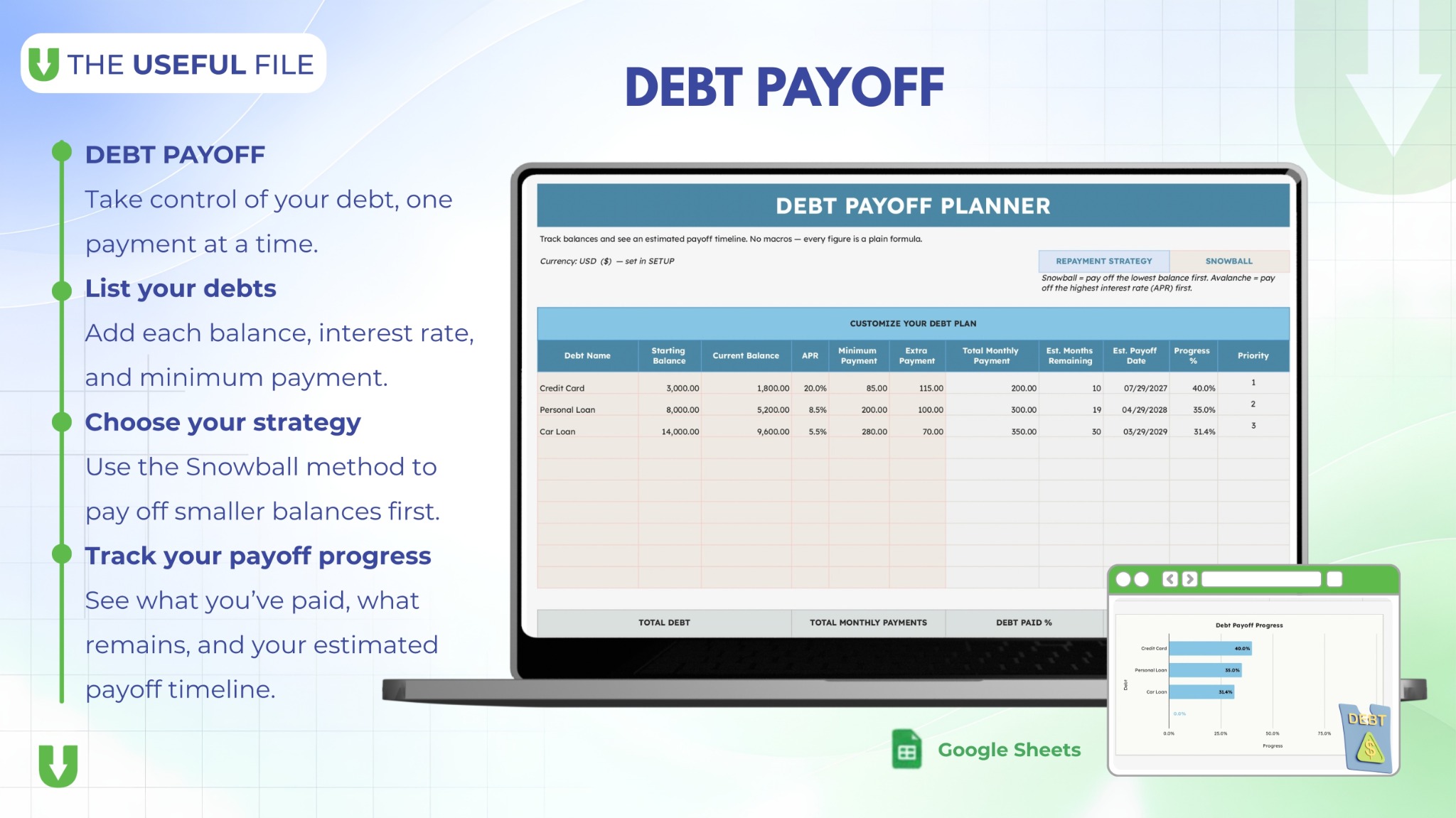
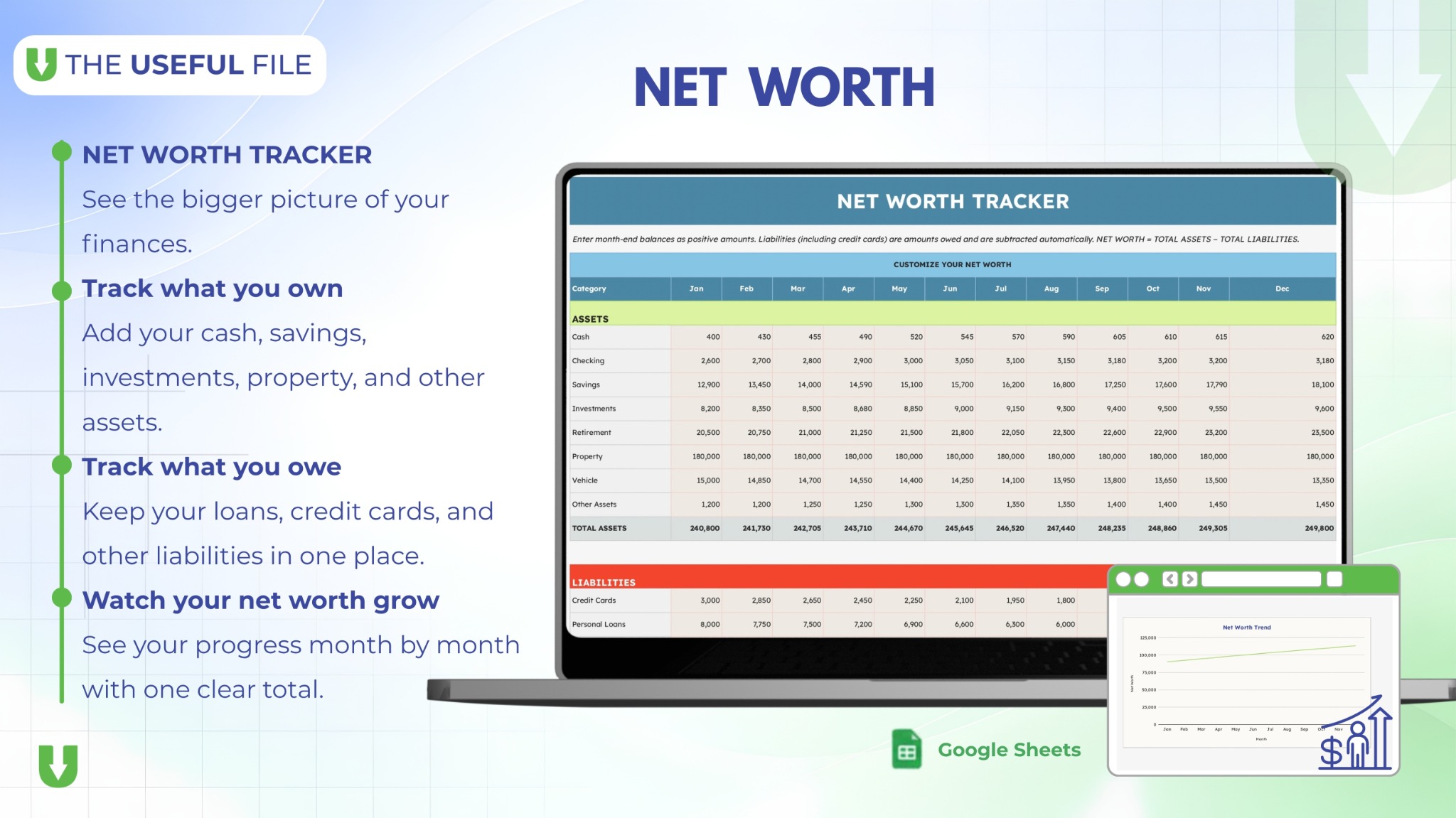
Track debt payoff, assets and liabilities alongside your annual budget.
Use a simple reference view to understand how your spending is divided.
Start with the quick setup file, then use the complete guide whenever you need help.
Simple delivery
You receive the delivery files right after checkout.
Use its direct Make a Copy button to create your private planner.
Use the included beginner guide with real screenshots when you need it.
Annual Budget Planner
Made for Google Sheets, personal use, and a fresh copy whenever you start a new year.
Digital download
$9.99 one-time
Complete your purchase securely on Gumroad. Your delivery files are available after checkout.
Buy on GumroadNo subscription · Google account required · Not financial adviceBefore you buy
No. The planner is designed for free Google Sheets. You need a Google account to make your own copy.
Yes. Make a fresh copy at the beginning of a new year, set your year in SETUP, and keep the previous year's copy for reference.
No. This is a manual planner. You add real transactions yourself, keeping the file simple and private.
Yes. You will need basic Google Sheets actions such as making a copy and entering data. A Quick Start PDF and a detailed user guide with screenshots are included.
No. Each purchase includes a personal-use license for one person or household. See the license terms for details.